MAPu
MAPuFormats
In: a video with GPS inside, or a video plus a data file. Out: MP4.
Video files
File extensions it opens: .mp4 .mov .insv .360 .mkv.
GPS in the video
From these recordings MAPu reads the position and the other data on its own, without a separate file.
| Format | Extension |
|---|---|
| BlackVue dashcam | .mp4 .mov |
| Dashcam text track (Garmin, Thinkware) | .mp4 .mov |
| DJI drone / camera (data written into the video) | .mp4 .mov |
| GoPro (data in the video) | .mp4 .mov .360 |
| Insta360 (data in the video) | .mp4 .mov .insv |
| Novatek dashcam (Viofo, Vantrue, Transcend …) | .mp4 .mov |
Data files
If the camera writes no GPS, one of these files goes next to the video.
| Format | Extension |
|---|---|
| DJI drone SRT caption | .srt (next to the video, same name) |
| FIT file (Garmin / Wahoo / Coros / Suunto) | .fit |
| GPX file | .gpx |
| NMEA 0183 log | .nmea .nma .txt .log .gps (next to the video, same name) |
| RaceBox CSV | .csv |
| RaceChrono CSV | .csv |
| Registrator Viewer track (dashcam GPS, CSV) | .csv |
| TCX file (Garmin Training Center) | .tcx |
| Torque Pro log (OBD, CSV) | .csv |
| TrackAddict CSV | .csv |
| Racelogic VBO | .vbo |
Output
| Codec | On NVIDIA | On the CPU |
|---|---|---|
| H.264 (AVC) | h264_nvenc | libx264 |
| H.265 (HEVC) | hevc_nvenc | libx265 |
| AV1 | av1_nvenc | libsvtav1 |
At startup the program tries what the computer can do and offers only that.
| Container | MP4 |
|---|---|
| Audio | Copy (original, no re-encoding), or AAC 96 / 128 / 192 / 256 / 320 kbps |
| In-between frames | Duplicate frames (fast) · Frame blending (fast) · Motion interpolation (slow, smoothest) |
Output size
Set in the Output panel of the bar above the picture and in the Export panel; loading a layout preset does not change it.
| Source | the video's own size (the default) |
|---|---|
| Landscape (16:9) | 4K UHD 3840×2160 · 1440p 2560×1440 · 1080p Full HD 1920×1080 · 720p HD 1280×720 |
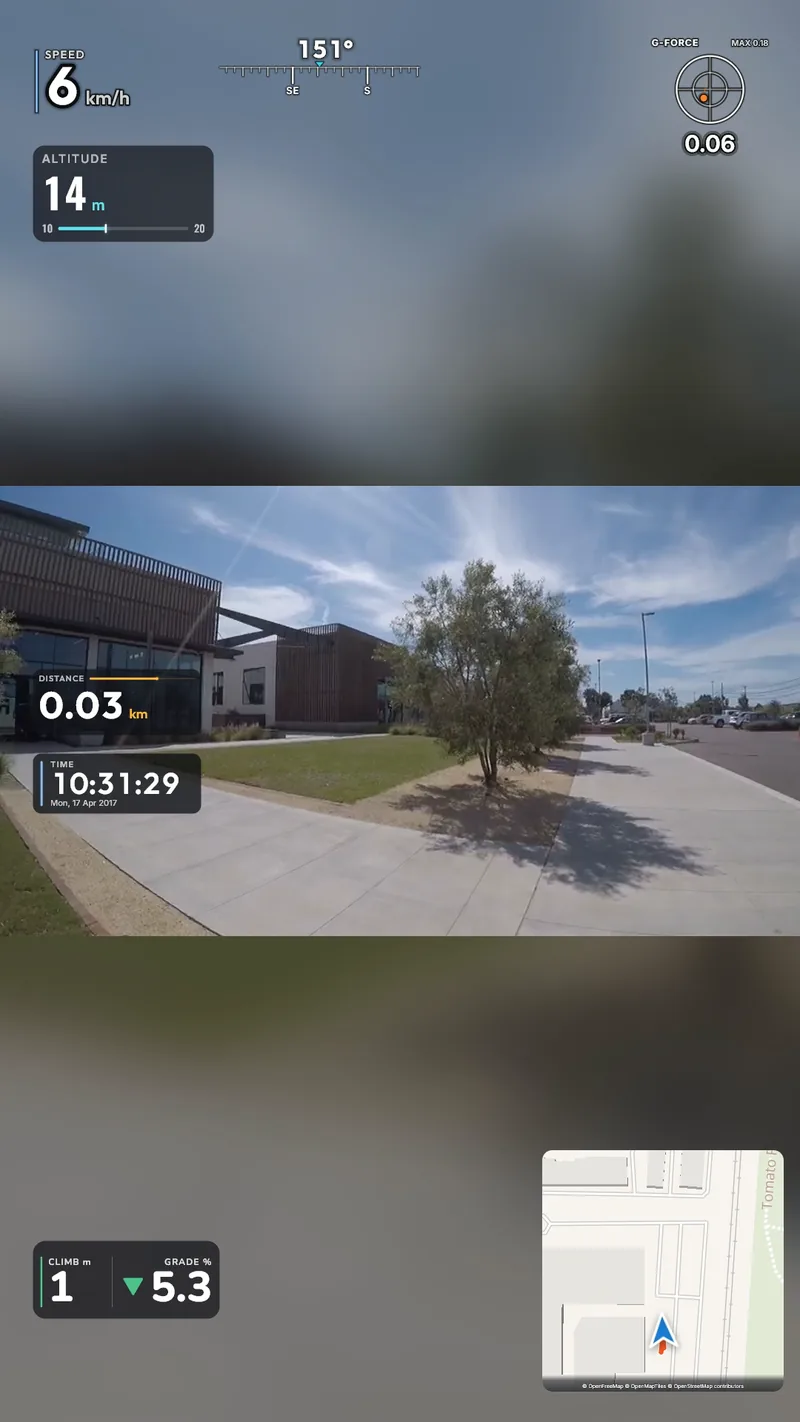
| Social (Reels, Shorts, TikTok, Instagram) | Vertical 9:16 1080×1920 · Vertical 9:16 1440×2560 · Portrait 4:5 1080×1350 · Square 1:1 1080×1080 |
| Custom size | width × height, even numbers, 160–8192 px per side |
| Encoder limits | H.264 (AVC) NVENC: up to 4096×4096; the others: 8192×8192. A size the chosen encoder cannot make is flagged before the export. |
| The video in the frame | Fit · Fill · Move — when moving it, it can be resized with the mouse too |
| Background | Colour (any, black by default) · Blurred — where the video does not cover the frame |
| Widgets | on another aspect ratio they are re-laid once: each keeps to its nearest edge or to the middle |